Which questions should I ask before ordering sweets online?
What “ordering sweets online” means and why it matters
Treat the ordering system as part of your quality controls: choose software that helps guide the order from the guest’s decision through to fulfillment and avoids creating another place where staff must retype guest or order data, as OrderNow recommends (OrderNow: online-ordering software criteria).
Product pages—photos and plain-language descriptions—help customers decide what to buy, and the ordering flow must capture the fulfillment details the kitchen needs to prepare and pack correctly. When you design or use an online menu, make these touchpoints explicit so the guest’s expectations match what the kitchen can deliver.
Why these ordering decisions matter for customers
When sweets move from kitchen to customer, problems that commonly cause dissatisfaction include missing packing or manufacture dates, short shelf life for freshly made items, insecure packaging that damages presentation, and delivery/platform fees that increase the final price. Guidance for choosing sweets online identifies manufacturing or packing date, stated shelf life and secure packaging as primary quality signals to look for (Kanwarjis: packing date, shelf life, packaging).
For planning quantity and portion expectations, simple pre-order checks help avoid last-minute shortages or excess. The Mithai Maharaja planning checklist recommends counting guests and clarifying whether sweets are a snack, a dessert or part of a larger meal so you can size an order appropriately (The Mithai Maharaja: order checklist and planning).
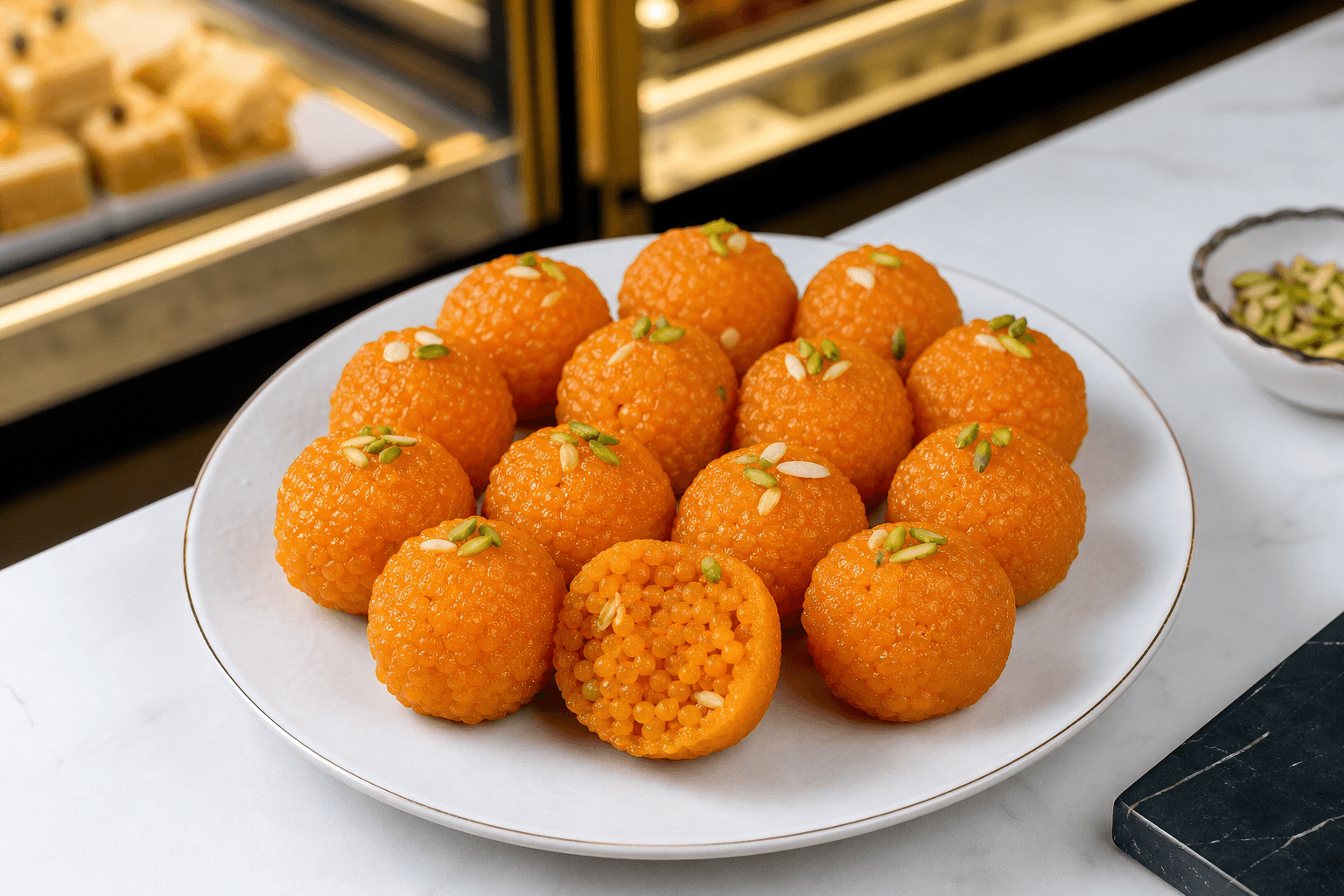
Photos, plain-language descriptions and explicit portion notes reduce the need for follow-up messages; TypeMenu recommends photographing every item and writing clear descriptions that include key ingredients and portion size so customers can decide with confidence (TypeMenu: photograph every item; write clear descriptions). Finally, check the order summary or checkout page so location-based delivery or platform fees and the expected arrival or pickup window are visible before you pay (American Express CA: delivery fee visibility).
A short decision checklist to use before you order

Use this compact checklist each time you place an online sweets order. Each item maps to seller details customers should be able to confirm quickly.
- Count guests and note other food and dietary needs. Decide whether the sweets are a snack, a dessert or part of a larger meal so you order the right quantity; planning guidance for pastry-style orders explicitly recommends counting guests and clarifying the role of sweets when sizing an order (The Mithai Maharaja: order checklist and planning).
- Verify portion size and price. Look for plain-language portion notes, listed weight, or serving counts so the quantity matches expectations; vendors are advised to write clear descriptions that include portion size (TypeMenu: write clear descriptions; include portion size).
- Check for a packing/manufacture date, shelf life and storage instructions. These indicate whether an item suits shipping, same-day delivery or pickup—if missing, message the vendor and ask for the packing date and recommended storage before ordering (Kanwarjis: packing date and shelf life).
- Confirm packaging for transport and appropriate fulfillment method. For fragile or syrup-based sweets, pickup or tightly constrained delivery windows may be better; check product notes and ask the vendor if packaging is secure for the chosen delivery method.
- Expect clear photos and straightforward descriptions. High-quality photos and plain-language descriptions help set appearance and portion expectations; vendors are encouraged to photograph every item using natural lighting and consistent angles (TypeMenu: photograph every item; use natural lighting and consistent angles).
- Confirm total fees and estimated timing before checkout. Review the order summary so location-based delivery or platform fees and the expected arrival or pickup window are visible before you pay (American Express CA: delivery fee visibility).
Takeaway: follow the sequence—plan quantity and role, confirm ingredients and dates, check photos and packaging, then verify fees and timing. If the product page lacks any of these details, message the vendor before you buy.
How to read product pages: photos, descriptions, dates and shelf life
Good product pages answer three practical questions: what’s in it, how much you get, and how long it will keep. Prioritize these visible signals when deciding.
- Photos that show portion and texture. Look for images shot in natural light on a consistent background and from overhead or 45-degree angles so you can better judge portion and appearance; product photography guidance recommends photographing every item to build ordering confidence (TypeMenu: photograph every item; consistent lighting and angles).
- Plain-language descriptions. Descriptions should list key ingredients and portion size and avoid culinary jargon that customers may not understand. Clear item copy reduces the need for follow-up questions at checkout (TypeMenu: write clear descriptions).
- Packing or manufacture date, shelf life and storage instructions. These are the core freshness signals—if a page does not state them, ask the seller to provide the packing date and recommended storage so you can judge whether the item suits delivery or pickup (Kanwarjis: packing date, shelf life).
If a product page lacks one of these elements, a short pre-purchase message to the vendor asking for the missing information is the appropriate next step. That preserves your buying confidence and reduces the likelihood of post-delivery disappointment.
How to set up an online menu so customers finish their order

If you manage a sweets shop, configure your online menu around what you can reliably produce and deliver while items remain fresh. Launch guidance for food menus recommends being realistic about what you can serve while food stays fresh and building menu commitments around that reality rather than promising every possible item (TypeMenu: be realistic about freshness limits).
Use clear item names, consistent photos and plain descriptions with portion notes and ingredient callouts; a restaurant menu checklist lists item names, photos, descriptions, modifier setup, timing and pickup/delivery logic as foundational choices (Dinevate: menu checklist essentials). Apply those checklist elements as design constraints—for example, limit perishable or delicate items offered for delivery unless you have packaging and timing that preserve quality.
Choose ordering software that guides the order from decision to fulfillment and avoids creating extra manual work for staff. OrderNow advises selecting systems that hand off accurate order details to the kitchen rather than requiring duplicate data entry at the back of house (OrderNow: guide order to fulfillment). That reduces mistakes and speeds packing, which matters for perishable sweets.
Takeaway for owners: make each product page complete, limit online availability where freshness would suffer, configure modifiers for common choices, and pick tools that pass accurate, chef-ready order details to the kitchen.
Frequently asked questions
How can I check if sweets are fresh when ordering online?
Look for a packing or manufacture date and an explicit shelf-life statement on the product page; if those are absent, message the seller and ask for the packing date and storage instructions before you buy. Seller guidance for online sweets buying lists packing date and shelf life as primary freshness signals (Kanwarjis: packing date and shelf life).
What product details should I confirm before I order sweets (ingredients, portion, allergens, packaging)?
Confirm key ingredients and declared allergens, portion size or serving count, how items are packaged for transport, and whether the seller has notes on cross-contact. A practical planning checklist for pastry-style orders recommends confirming ingredients, allergens, portion, price, packaging, storage and pickup before ordering (The Mithai Maharaja: planning checklist).
Why can delivery or online-order fees change and where should I look for them?
Delivery and platform fees can vary by location, time of day and where you’re ordering from; check the order summary or the checkout page so the total cost and any delivery/window estimates are visible before you confirm payment (American Express CA: delivery fee visibility).
What changes to my online menu reduce cart abandonment for sweets?
Dinevate’s checklist lists item names, photos, descriptions, modifier setup and timing logic as foundational menu elements and notes that guests can still abandon an order if the online menu creates too much work (Dinevate: menu checklist essentials). Making item choices and modifiers clear and keeping product pages complete are practical ways to reduce friction.
Talk with Super Punjab Sweet House
Contact Super Punjab Sweet House to ask about the next step and confirm which options fit your needs.